
kie.ai tutorial
How to create a kie.ai account, add credit, and copy the API key for use in sidejob. About five minutes.
sidejob uses the artificial intelligence service from kie.ai. You use your own account and API key there, and the charges are billed directly to you by kie.ai. We do not sell that service and take no part of its cost. Creating an account is free.
-
Create an account
- Open kie.ai.
- Click Get Started, then sign up with your Gmail account.
-
Open the billing page
- Click API Market, then choose Billing in the menu on the left.
-
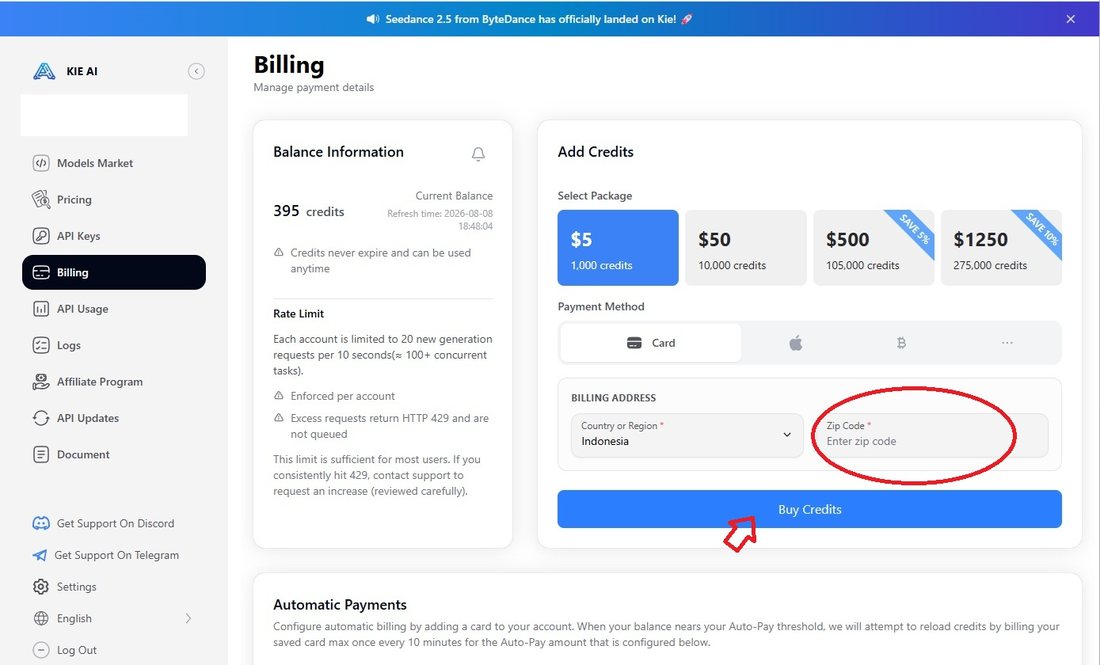
Buy credits
- Pick the smallest package, $5, which is enough to try it out.
- Fill in your Zip Code. This field is required.
- Click Buy Credits.
-
Pay by card
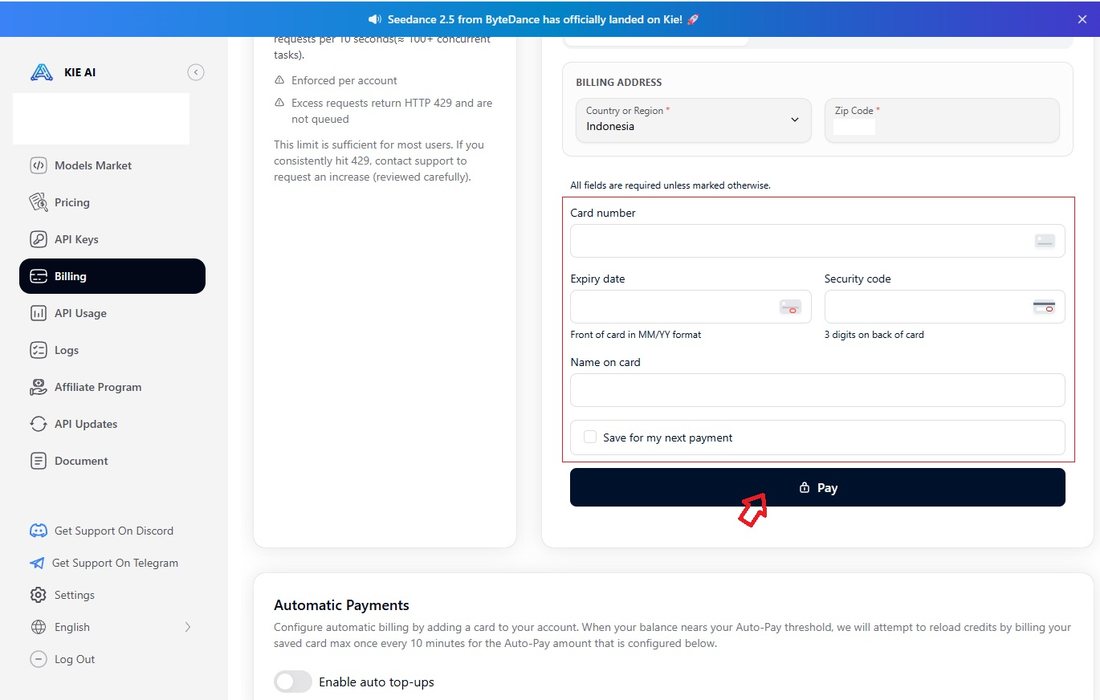
- An ordinary bank debit or credit card works, as long as it carries the Visa or Mastercard logo.
- Enter the card number, Expiry date, Security code and Name on card, all printed on your card.
- Tick Save for my next payment so you do not have to type it again next time.
- Click Pay.
-
Copy the API key
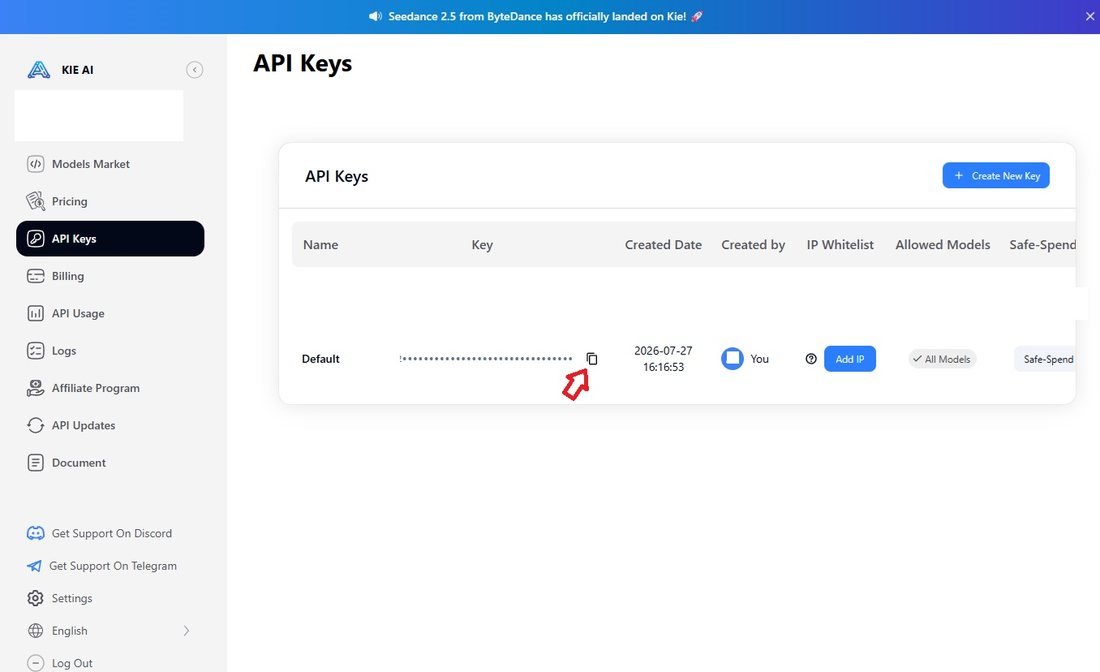
- Click API Keys in the left menu.
- Press the copy icon in the Key column.
- Paste it into the API key field at the top of the sidejob window, then press Test.
kie.ai credits do not expire and can be used at any time. Start with the smallest package, then top up once you know what you actually need.